 Ruchi Verma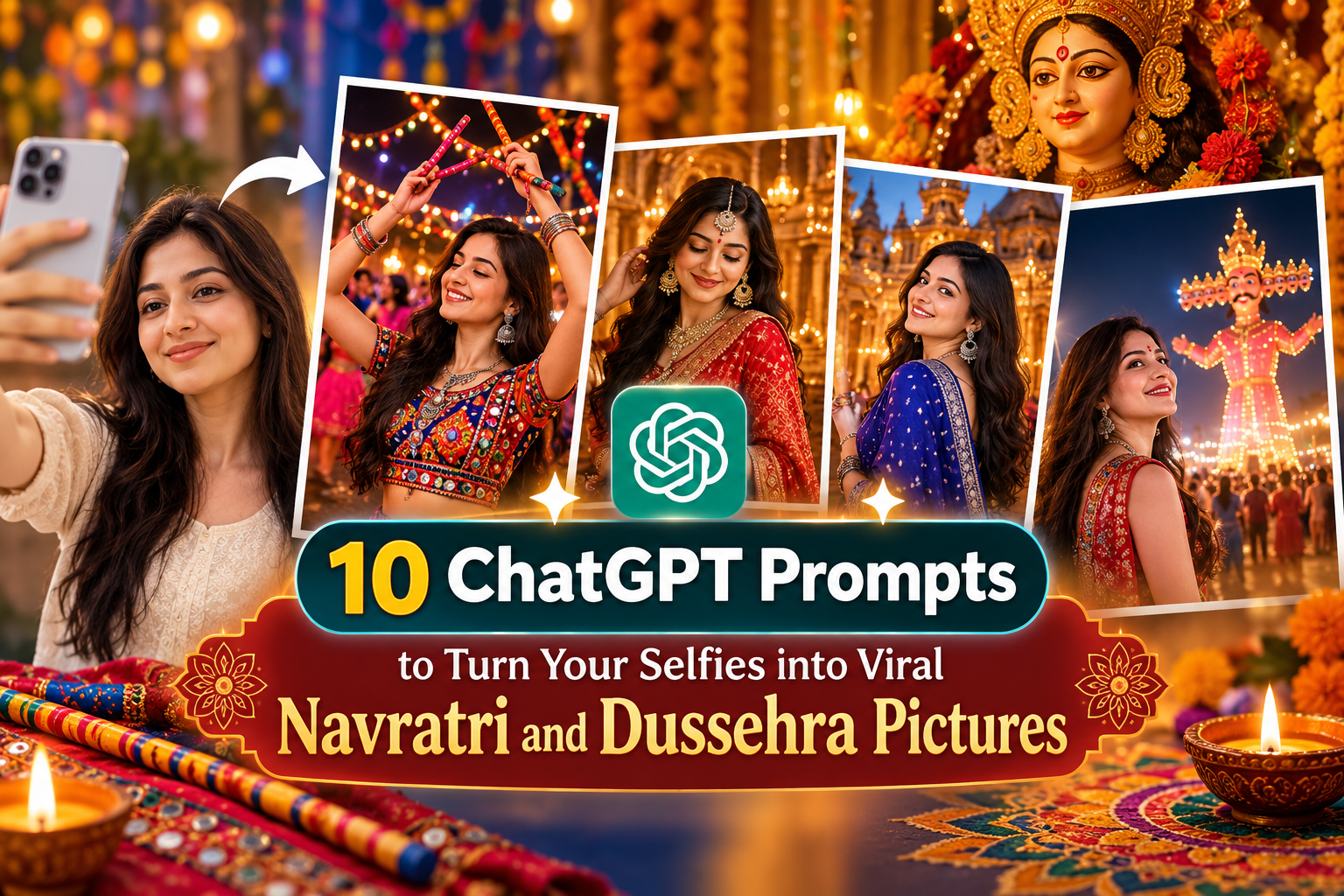
Navratri is no longer just about dressing up in your favourite lehenga, visiting a pandal, playing Garba or clicking a few family photographs. For many people, the festival has also become a time to create colourful, creative and highly shareable content for Instagram, Facebook and WhatsApp.
With artificial intelligence becoming part of everyday content creation, your ordinary selfie can now be transformed into a festive portrait inspired by traditional Indian fashion, Garba nights, temple décor, royal backgrounds, Dussehra celebrations and cinematic festival photography.
This year, Sharad Navratri 2026 begins on October 11 and continues through the nine-day celebration, culminating in Vijayadashami or Dussehra on October 20.
If you have a good selfie but do not have the time, budget or opportunity for a professional festive photoshoot, AI image editing can give you plenty of creative possibilities. The key is not simply asking an AI tool to make your photograph look “festive.” A detailed ChatGPT prompts can specify your outfit, jewellery, lighting, background, pose, mood, colour palette and photography style.
That is where these ChatGPT prompts can help. The ChatGPT prompts below are designed for people who want to experiment with their own photographs and create Navratri and Dussehra-inspired images that look polished while still keeping their facial identity recognisable.
Before using any ChatGPT prompts, upload a clear selfie to the AI image tool you are using. A front-facing or three-quarter photograph with good lighting generally gives better results. You can then copy the relevant prompt, customise the outfit or colour and ask the tool to create the image.
Why these ChatGPT prompts can make your Navratri pictures more creative
The biggest advantage of using detailed ChatGPT prompts is control.
Instead of simply saying “make my photo look like Navratri,” you can describe exactly what you want. You can ask for a traditional Gujarati Garba setting, a colourful mirror-work lehenga, a royal Rajasthani-inspired backdrop, a Dandiya night atmosphere or an elegant Dussehra portrait.
A good prompt should also clearly tell the AI what not to change. For example, if you want the person in your photograph to remain recognisable, mention that the facial structure, skin tone, hairstyle, age, body proportions and identity should remain unchanged. If you are editing a family photograph, specify which people should remain in the image and which elements should be removed.
Here are 10 ChatGPT prompts you can use for different festive looks. These ChatGPT prompts give you a starting point, but don’t be afraid to customise them. Change the outfit, colour, background, lighting, pose and mood until the concept feels like you.
1. Traditional Garba Night Portrait
ChatGPT prompts #1 are perfect if you want the classic colourful Navratri look.
Copy and customise this:
Transform my uploaded selfie into a beautiful traditional Navratri Garba night portrait. Keep my face, facial features, skin tone, age, natural expression and identity exactly the same. Do not alter my face or make me look like another person. Dress me in an elegant traditional Gujarati chaniya choli with intricate mirror work, colourful embroidery and subtle traditional jewellery. Add a beautifully decorated Garba venue in the background with warm hanging lights, colourful lanterns and traditional festive décor. Include a few softly blurred people playing Garba in the distant background. Give the photograph warm cinematic lighting, realistic skin texture, natural proportions and professional DSLR photography quality. Make the image festive, elegant and vibrant but realistic. Do not add text, logos, watermarks or artificial-looking facial features.
This style works especially well for Instagram profile pictures, Navratri posts and festive WhatsApp display pictures.
If you are wearing a different outfit in your original photograph, you can replace “chaniya choli” with “traditional lehenga,” “bandhani saree” or “Gujarati-style festive outfit.”
2. Royal Navratri Lehenga Look
Want your ordinary selfie to look like it was taken during a luxury festive photoshoot?
Use this prompt:
Turn my uploaded selfie into a luxurious royal Navratri fashion portrait. Preserve my exact facial identity, facial features, skin tone, age and natural appearance. Do not reshape my face, change my eyes, nose, lips or jawline. Dress me in an elegant designer-style lehenga in rich festive colours with detailed embroidery, mirror work and delicate embellishments. Add statement traditional jewellery including earrings, necklace, bangles and maang tikka, while keeping the styling sophisticated rather than excessive. Place me inside a grand heritage palace-inspired setting decorated for Navratri with flowers, diyas, warm golden lights and elegant Indian décor. Use cinematic lighting, shallow depth of field, realistic fabric texture and professional fashion photography. The final image should look like a premium festive magazine photoshoot while keeping my identity completely recognisable.
This idea is particularly useful if you want a more glamorous Navratri photograph instead of a typical Garba-night image.
You can also specify a colour. Try emerald green, royal blue, magenta, wine, mustard, orange or peacock green depending on your outfit.
3. Couple Navratri Portrait
Navratri is also a popular time for couples to create festive photographs. If you have a separate photograph of yourself and your partner, try this:
Create an elegant Navratri couple portrait using our uploaded photographs. Keep both faces, facial features, skin tones, ages, body proportions and identities exactly as they appear in the original photographs. Do not change or beautify our faces unnaturally. Dress the woman in a beautiful traditional Navratri lehenga with mirror work and elegant jewellery, and dress the man in a stylish traditional kurta with a colourful embroidered jacket. Place us together at a beautifully decorated Garba celebration with warm festive lights, flowers, diyas and subtle Dandiya décor. Create a natural couple pose with genuine expressions. Use realistic photography, cinematic lighting, natural skin texture and a softly blurred festive background. The image should look like a professionally photographed Navratri celebration, not an AI illustration. Do not add text or watermark.
For a more romantic version, ask for a softly lit evening setting.
For a more traditional version, ask for a temple courtyard or heritage haveli background.
4. Colourful Dandiya Night
If your goal is a lively festival photograph rather than a posed portrait, this prompt can create a more energetic scene.
Transform my selfie into a realistic photograph of me enjoying a vibrant Dandiya night during Navratri. Keep my original face, facial features, skin tone, age and identity unchanged. Dress me in a colourful traditional Gujarati outfit with detailed embroidery, mirror work and festive jewellery. Show me holding decorated Dandiya sticks while standing naturally at a large Navratri celebration. Create a lively background with people dancing Garba, colourful traditional outfits, strings of lights, decorative umbrellas and festive Indian décor. Capture the scene as if photographed by a professional event photographer using a high-quality camera. Include natural movement, realistic lighting, authentic fabric details and a joyful atmosphere. Keep me as the main subject and make the background slightly blurred. Do not change my face or create an unrealistic body shape. No text or watermark.
This is a great option if you want your photograph to look less like a studio portrait and more like you actually attended a large Garba celebration.
You can also ask for “motion photography” to create the feeling of movement in the Dandiya sticks and clothing.
5. Elegant Saree Navratri Look
Not everyone wants to wear a lehenga during Navratri. A festive saree can create a much more elegant and timeless image.
Try this:
Convert my uploaded selfie into an elegant Navratri saree portrait. Keep my face, facial structure, skin tone, age, hairstyle and identity exactly the same. Do not modify my facial features. Dress me in a sophisticated traditional Indian saree with a festive blouse, delicate embroidery and an elegant drape. Add traditional earrings, bangles and a subtle bindi. Create a beautifully decorated Navratri setting with marigold flowers, diyas, warm lights and tasteful Indian décor. Use soft golden evening light and professional portrait photography with realistic skin texture and natural shadows. Keep the overall appearance graceful, festive and sophisticated. Make the saree fabric look realistic and detailed. Do not make the photograph cartoon-like, overly edited or artificial. No text, logo or watermark.
For an Instagram post, you can request a vertical 4:5 composition.
For a WhatsApp display picture, ask for a square composition with your face positioned centrally.
6. Navratri Royal Palace Photoshoot
If you want something dramatically different, turn your selfie into a heritage-inspired festive portrait.
Use my uploaded selfie to create a luxurious Navratri portrait inside a magnificent Indian heritage palace. Preserve my exact facial identity, facial features, skin tone, age and natural proportions. Do not alter my face. Dress me in an elegant traditional Indian festive outfit inspired by royal Indian fashion, with intricate embroidery, rich fabrics and tasteful jewellery. Place me in a grand palace courtyard decorated for Navratri with marigold garlands, brass lamps, diyas and traditional festive elements. Add warm golden architectural lighting and a cinematic atmosphere. The photograph should look like a high-end editorial photoshoot taken with a professional camera. Keep the face sharp and realistic, with a softly blurred background. Maintain authentic Indian cultural details and avoid fantasy elements. Do not add text, watermark or artificial facial features.
This concept can work particularly well for bloggers, creators and entrepreneurs who want their festive photographs to have a premium editorial feel.
You can also add a specific heritage influence such as “Rajasthani palace,” “Gujarati haveli” or “Maharashtrian heritage setting.”
7. Minimal and Elegant Navratri Portrait
Not every festive photograph needs lots of colours and decoration. If your personal style is simple and sophisticated, use this prompt:
Create a minimalist and elegant Navratri portrait from my uploaded selfie. Keep my face, facial features, skin tone, age, hairstyle and identity exactly unchanged. Dress me in a sophisticated traditional Indian outfit with subtle festive detailing and elegant jewellery. Use a clean warm beige and gold background with a few marigold flowers, diyas and understated Navratri decorations. Avoid a crowded background. Use soft natural window light combined with warm festive lighting. Create realistic skin texture, natural shadows and professional editorial portrait photography. The final image should look classy, modern and timeless rather than heavily edited. Keep my expression natural and do not change my facial proportions. No text, watermark or unnecessary objects.
This type of image is especially suitable for LinkedIn, professional social media profiles and personal-branding posts where you want to acknowledge the festival without making the photograph overly dramatic.
You can also replace the background colours with cream, ivory, beige, gold or muted pink and tell in your ChatGPT prompts.
8. Family Navratri Celebration
Festival photographs are often about family, so AI editing can also be used to create a more polished family portrait.
Create a warm and realistic family. Navratri portrait using the uploaded photographs. Keep every person’s face, facial features, skin tone, age, hairstyle and identity exactly the same as in the original photographs. Do not change anyone’s face or make people look like different individuals. Bring the family members naturally together in one festive composition. Dress everyone in coordinated traditional Indian festive clothing with elegant colours, realistic fabrics and tasteful jewellery. Place the family inside a beautifully decorated home with marigold flowers, diyas, rangoli, warm fairy lights and subtle Navratri decorations. Create natural body proportions, realistic hands and genuine family expressions. Use warm cinematic lighting and professional family photography. Keep the image authentic and emotional rather than overly edited. Do not add extra people, text, logos or watermarks.
This is one of the most important things to mention when editing old family photographs use in ChatGPT prompts: do not change the faces.
AI image tools can sometimes “improve” faces so much that the people no longer look like themselves. A clear instruction to preserve identity can reduce that problem, although results can still vary.
9. Dussehra Celebration Portrait ChaptGPT Prompts.
Navratri and Dussehra have different visual themes, so you can create a dedicated Vijayadashami photograph.
Transform my uploaded selfie into a sophisticated Dussehra celebration portrait. Keep my exact facial identity, facial features, skin tone, age and natural expression unchanged. Dress me in an elegant traditional Indian festive outfit with tasteful jewellery. Place me at a beautifully decorated outdoor Dussehra celebration during the evening. In the distant background, show a large traditional Dussehra event with warm lights and a festive atmosphere, keeping the background slightly blurred and avoiding excessive visual clutter. Add subtle cultural elements associated with Vijayadashami while keeping the scene respectful and realistic. Use cinematic evening lighting, realistic skin texture, natural shadows and professional event photography. Keep me as the main subject. Do not change my face, body proportions or identity. Do not add text, logos or watermarks.
Dussehra photographs can work particularly well with warm orange, gold and red tones.
If you want a more contemporary look, ask for a modern Indian fashion editorial instead of a traditional portrait.
10. Cinematic Viral Festival Poster
For creators who want something more dramatic and social-media friendly, try a cinematic composition ChatGPT prompts.
Create a cinematic vertical Navratri festival portrait from my uploaded selfie. Preserve my exact facial features, identity, skin tone, age and natural appearance. Do not change my face. Dress me in a stunning traditional Indian festive outfit with detailed embroidery and tasteful jewellery. Place me in a grand illuminated Navratri celebration at night with colourful lights, diyas, marigold decorations and a lively but softly blurred crowd in the background. Use dramatic cinematic lighting, realistic depth of field, subtle lens flare, rich but natural colours and high-end professional photography. Make the subject sharp and the background atmospheric. Keep the photograph realistic rather than looking like a digital painting. Compose it vertically for Instagram Reels cover or social media posts, leaving some clean space around the subject. Do not add text, logo, watermark or artificial facial features.
This style can be particularly effective as a Reel cover, Instagram carousel opening slide or festive profile photograph.
If you want to add your own text later in Canva, specifically ask the AI tool to leave clean negative space at the top or bottom of the image.
While AI can make content creation easier, it is equally important to maintain a healthy relationship with social media. Read our guide on digital detox for creators for practical ideas to step away from the screen without losing your creative rhythm.

How to get better results from these ChatGPT prompts
The quality of the final image depends not only on the prompt but also on the photograph you upload. Start with a clear, high-resolution selfie. Avoid photographs where your face is heavily covered by sunglasses, hair, hands or extreme shadows. If you are working with an old family photograph, use the highest-quality version available.
Be very specific with ChatGPT Prompts about identity preservation. Instead of saying, ‘Keep me the same. Say: Preserve my facial structure, eyes, nose, lips, jawline, skin tone, age and identity exactly as shown in the uploaded photograph.
That gives the AI much more information about what should remain unchanged. You can use these ChatGPT prompts with ChatGPT Images, which allows you to create new images and edit existing photographs by uploading an image and describing the changes you want.
Choose your composition before generating.
Think about where you want to use the photograph. For Instagram feed posts, a 4:5 portrait composition usually gives you more visual space.
For Instagram Stories and Reel covers, request a 9:16 vertical composition. For WhatsApp profile pictures, ask in ChatGPT prompts for a square crop and keep your face away from the extreme edges.
For Facebook posts, you can use either a portrait or landscape composition depending on the original photograph.
Mention the outfit you actually want.
The same photograph can produce completely different results depending on the clothing description.
Try:
- Gujarati chaniya choli with mirror work
- Bandhani lehenga
- Silk saree with traditional jewellery
- Contemporary Indo-western festive outfit
- Rajasthani-inspired lehenga
- Elegant Maharashtrian saree
- Traditional kurta with embroidered jacket
- Royal blue lehenga with silver detailing
- Red and gold festive saree
- Peacock green traditional outfit
You can also tell the AI to coordinate the outfit with the festival colour you are following that day.
Don’t overload the prompt with too many ideas.
One common mistake is asking for everything at once. For example, don’t ask for a palace, beach, Garba ground, temple, fireworks, flowers, dancers, elephants, chandeliers and a wedding setup in the same image when using ChatGPT prompts.
The AI may create a visually confusing result. Pick one main concept. A strong prompt generally has:
Subject + outfit + setting + lighting + pose + photography style + identity instructions + things to avoid.
That is enough for most festive edits.
Use negative instructions in ChatGPT prompts when necessary.
If your generated image keeps changing your face, add: Do not alter my identity.
If hands look unnatural, add: Create anatomically correct hands with five natural fingers.
If the background becomes too busy, add: Keep the background elegant and softly blurred.
If the image looks artificial, add: Use realistic skin texture and natural photographic lighting instead of an illustration or plastic-looking AI aesthetic.
Small changes like these can make a significant difference.
Can you use these ChatGPT prompts with your existing selfie?
Yes, but the result depends on the image-generation or image-editing tool you use. ChatGPT prompts can help you develop and refine the instructions, while image-generation tools can interpret those instructions along with an uploaded image. Other AI image editors may use slightly different interfaces or controls.
The most important thing is to check the tool’s current image-upload, editing and privacy settings before uploading personal photographs, particularly photographs containing children or other family members. Also remember that AI-generated festival photographs are creative edits. If an image substantially changes the original setting, clothing or circumstances, it is better to treat it as an AI-created or AI-edited image rather than presenting it as an untouched photograph.
Ideas to make your AI Navratri pictures more Instagram-friendly
Once you have created your photograph, don’t stop at uploading the image. Turn one AI photograph into several pieces of content.
For example, one Garba portrait can become:
Instagram Reel: Start with your original selfie and transition into the AI-generated festive photograph.
Carousel: Show the original image first, followed by the AI transformation.
Story: Add a poll asking, “Which Navratri look should I try next?”
WhatsApp status: Use the final portrait with a short festive greeting.
Pinterest pin: Use a vertical version with a descriptive title.
Blog post: Share your experience experimenting with AI festive photography.
Creators can also create a nine-day series, with one different visual concept for each day of Navratri using ChatGPT prompts.
Day 1 could be a traditional red outfit.
Day 2 could be an elegant white look.
Day 3 could be a vibrant Garba portrait.
Day 4 could be a royal blue fashion shoot.
Day 5 could be a minimalist saree look.
Day 6 could be a family portrait.
Day 7 could be a Dandiya night.
Day 8 could be a temple-inspired portrait.
Day 9 could be a grand festive editorial.
Then use a Dussehra-inspired photograph on October 20.
This gives you a complete festive content series instead of a single post.
What makes a Navratri AI photograph look realistic?
Realism usually comes from details. The fabric should have a believable texture. Jewellery should follow the natural shape of the body. Hands should look anatomically correct. Lighting should fall consistently across the face and clothing. The background should match the direction and intensity of the light on the subject. Most importantly, the face should remain recognisable.
If an AI tool creates an image that looks beautiful but no longer resembles you, go back and strengthen the identity instructions.
You can also ask for:
“Preserve the original facial expression.” “Do not change my age.” “Do not make my skin unnaturally smooth.” “Do not enlarge my eyes.” “Do not change my nose or lips.” “Do not make my face thinner.” These instructions are particularly useful when editing personal photographs.
Frequently Asked Questions
1. Can I use ChatGPT prompts with my own Navratri selfie?
Yes. These ChatGPT prompts are designed to be customised around your own photograph. Upload a clear image and describe the outfit, background, lighting and overall visual style you want. If identity preservation is important, explicitly tell the tool not to change your facial features or appearance.
2. Can these ChatGPT prompts create Dussehra pictures too?
Yes. The same approach works for Dussehra. You can change the setting from a Garba celebration to a Vijayadashami event, use warmer evening colours and include subtle festive elements associated with Dussehra. The ninth prompt above is specifically designed for this type of image.
3. Can these ChatGPT prompts be used for family photographs?
Yes, but family photographs require extra care. Tell the AI to preserve every person’s face and identity and specify exactly who should remain in the photograph. If you are editing an old family photograph, avoid giving vague instructions such as “make everyone look better.” Be precise about what should change and what must remain untouched.
4. How can I make an AI Navratri photograph look less artificial?
Use a high-quality original photograph and ask for realistic skin texture, natural proportions, authentic fabric details and professional photographic lighting. Avoid adding too many decorative elements. A simple background with realistic lighting often looks more convincing than an extremely elaborate AI-generated scene.
5. What size should I generate for Instagram?
For an Instagram feed portrait, a 4:5 composition is a useful choice. For Stories and Reels, use a 9:16 vertical composition. If you are creating a profile photograph, a square format works well. Always check the current platform specifications before publishing because social media formats can change.
6. Should I disclose that my photograph was AI-edited?
If the image has been significantly altered or generated using AI, transparency is a sensible practice, particularly for professional, promotional or editorial content. You can add a simple note such as “AI-edited festive portrait” when appropriate.
Conclusion
Navratri is a festival of colour, celebration, tradition and creativity, which makes it naturally suited to visual storytelling. You don’t need a professional studio, an expensive outfit or a complicated photoshoot to experiment with festive content. With a clear selfie, a thoughtful concept and a detailed prompt, you can explore everything from a colourful Garba night to an elegant saree portrait, a royal palace photoshoot or a cinematic Dussehra celebration.
The real trick is to treat AI as a creative tool rather than simply asking it to “make a photo beautiful” most importantly, start with a photograph that you genuinely like.
These ChatGPT prompts give you a starting point, but don’t be afraid to customise them. Change the outfit, colour, background, lighting, pose and mood until the concept feels like you.
Save these ChatGPT prompts for Navratri 2026.
If you are planning your festive content calendar, bookmark this article before Navratri begins. You can return to it throughout the nine-day celebration and create a different AI-inspired festive look each day with these ChatGPT prompts. From Garba nights to Dandiya celebrations and from traditional family portraits to Dussehra photographs, your ordinary selfie can become the starting point for an entire festive content series.
Celebrate creatively, keep your identity authentic and let your imagination do the rest with the help of ChatGPT prompts.
About the Author: Ruchi Verma is a blogger, content creator, digital marketing professional and founder of Wigglingpen and Influverse World.
Read more about Ruchi
Disclaimer: This article is knowledge-based sharing. Unauthorised use and/or duplication of this material without express and written permission from this site’s author and/or owner is strictly prohibited.